For agencies
Every client in one place, each in its own workspace
Onboard a client in an afternoon: connect their accounts to their own workspace, invite them as a free Reviewer, and run drafts, sign-off, publishing and monthly reports without a single shared password.
- TikTok
- Google Business
- ₹7,485 / $90 a month for this setup
- Marlowe & Comarlowe.coabout 1 year ago
- Kiln Studiokiln.studio8 months ago
- Northwind Dentalnorthwinddental.com5 months ago
- Rae Okonkworaeokonkwo.com2 months ago
What running social for clients actually involves
Keep every client separate
Each client gets a workspace with its own accounts, calendar, media, inbox, labels and timezone, so nothing meant for one brand lands on another's feed. Workspaces are free and unlimited.
Team CollaborationGet sign-off without email chains
Run two steps: Team review inside the agency, then Final sign-off by the client. They approve the real post with platform previews, or draw on the image and send it back with a reason.
Approval WorkflowsProtect what was approved
Approved posts lock, so a late tweak can't slip out unseen. Unlocking sends a new version back through the steps, and the version history shows exactly what changed.
Approval WorkflowsReport without building slides
Schedule a branded monthly report for each client, or a quarterly review before the account meeting, delivered as a link and PDF with your agency's logo and a Prepared by footer.
ReportingStaff up without seat maths
Juniors, freelancers and designers join at no cost. Restrict someone to certain clients' accounts, or switch off Can publish so their work always waits for review.
Team CollaborationCover every client's community
Auto-assign routes new comments, DMs and reviews to account managers, labels sort leads from complaints, and bulk actions clear the thank-yous in one go.
Social Inbox
How it works for agencies
Each step is a part of HeyOrbit you can open and read about.
Create the client's workspace
Name it, set the client's timezone and connect their accounts. Each profile, Page, channel or location is one account on your bill.
Team Collaboration Guide: WorkspacesInvite your team and the client
Editors draft and schedule. The client joins as a Reviewer, free, and only ever sees their own workspace.
Team Collaboration Guide: Invite your team and set rolesSet the approval steps
Team review, then Final sign-off. Posts wait until both pass, and approvers can say yes straight from the email.
Approval Workflows Guide: Approval workflowBrand it, schedule the reports
Add your logo, colour and footer, then schedule each client's monthly report to arrive on the 1st.
White Label Guide: Scheduled reports and public links
The platforms that matter for agencies
The formats ticked are the ones you'll use most. Every format listed publishes automatically.
Instagram
- Feed post
- Carousel (used most)
- Reel (used most)
- Story (used most)
The busiest calendar for most clients. Collaborator tags put a post on a partner's profile too, and a first comment keeps hashtags out of the caption.
Instagram schedulingFacebook
- Post (used most)
- Reel (used most)
- Story
Pages for local brands and older audiences. Page comments, Messenger chats and recommendations land in the client's inbox.
Facebook schedulingLinkedIn
- Post (used most)
- Article link (used most)
Company pages for B2B clients and the founder's profile beside it, each its own account. The founder can approve ghostwritten posts as a Reviewer.
LinkedIn schedulingTikTok
- Video (used most)
- Photo post (used most)
Short video for clients ready for it, with privacy, comment, Duet and Stitch settings set per post.
TikTok schedulingGoogle Business Profile
- What's new (used most)
- Offer (used most)
- Event (used most)
For local clients: offers and events on the profile people find on Maps, and every Google review answered from the inbox.
Google Business scheduling
A week in HeyOrbit
An example week, from the first draft to the last reply.
Monday09:30
Stand-up from the calendar
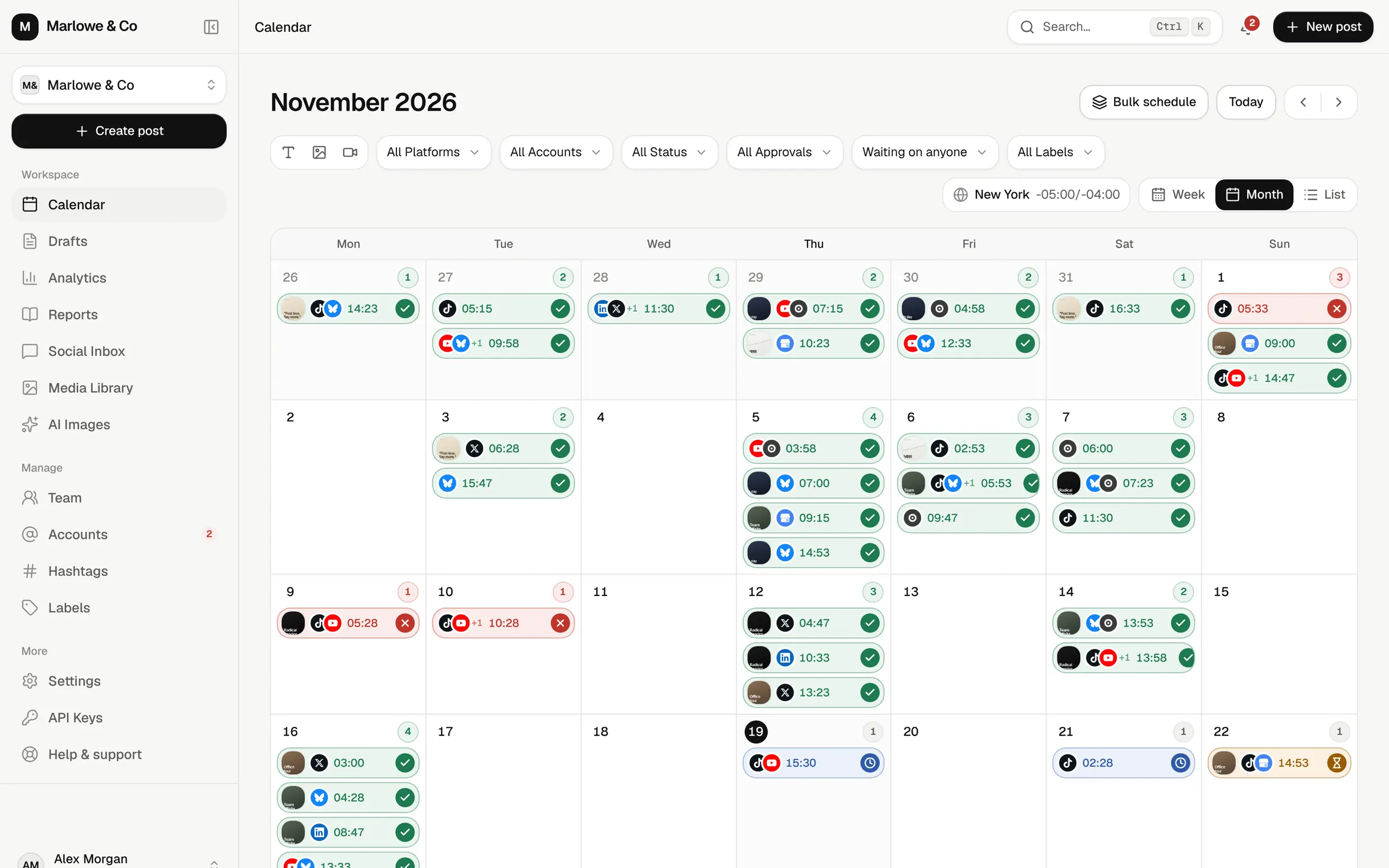
Filter by Waiting on to see which posts are stuck at Team review and which have reached Final sign-off.
Tuesday11:00
One client's fortnight, batched
Upload the café's shoot, pick its accounts once and bulk-schedule twenty posts with the dates spread for you.
Wednesday14:00
Feedback with arrows, not essays
The client circles the logo on the image and asks for the dark version; the designer swaps the file and resends it as version 2.
Thursday16:30
Community sweep
New comments are already assigned to each account manager. Bulk-resolve the emoji replies, answer the two real questions.
Friday10:00
Prep the quarterly review
Compare the quarter with the same period last year in analytics and turn the view into a report for Monday's meeting.
Weekend
Nobody logs in
Saturday and Sunday posts publish on time. If a platform rejects one, its author is notified with the platform's reason.
What this setup costs
An agency running five clients on Instagram, Facebook and LinkedIn
- Instagram profiles5 × ₹499 / $6
- Facebook Pages5 × ₹499 / $6
- LinkedIn company pages5 × ₹499 / $6
5 Instagram profiles + 5 Facebook Pages + 5 LinkedIn company pages = 15 accounts = ₹7,485 / $90 a month
Add a new client's accounts the day you sign them (prorated for the rest of the month), and reuse the slots when a client leaves.
15 accounts × ₹499 / $6
₹7,485 / $90
a month, everything included
AI Studio is optional: ₹799 / $9 a month.
- Unlimited team members & reviewers
- Full white label
- Advanced analytics
- Branded reports
- Multi-step approvals
- Social inbox
Free to sign up, no card. Billed monthly per connected account; taxes are added where they apply.
Agencies: common questions
Can each client approve posts without seeing other clients?
Can reports and emails carry our agency's brand instead of HeyOrbit's?
Can juniors draft without being able to publish?
Can we see who approved what, and when?
Can we automate parts of the work?
What does HeyOrbit cost for an agency?
The features behind this page
Platforms
Comparing tools
Also worth a look
- FreelancersEvery client from one login, approvals by email and a bill that follows your client list.
- Multi-location brandsEvery location's Google and Facebook at once, local managers kept to their own accounts.
- Marketing teamsOne calendar for every team, legal and leadership in the approval steps, reports by campaign.
- Book a callTalk your setup through with the HeyOrbit team.
All solutions by team and by industry.
Your whole client list, one calm login.
Create a workspace per client, invite them as free Reviewers and let reports send themselves. Start free, pay per connected account.
Prefer to talk first? Book a call with our team
- Unlimited team members
- 10 platforms
- Start free, pay per account