AI assistant
An AI assistant that looks at your media first
Captions from your photos, one-click rewrites and AI images.
Part of the optional AI Studio add-on, $9 (₹799 in India) a month: AI captions, rewrites, hashtags and reply drafts, plus 100 AI images a month. Everything else in HeyOrbit works without it.
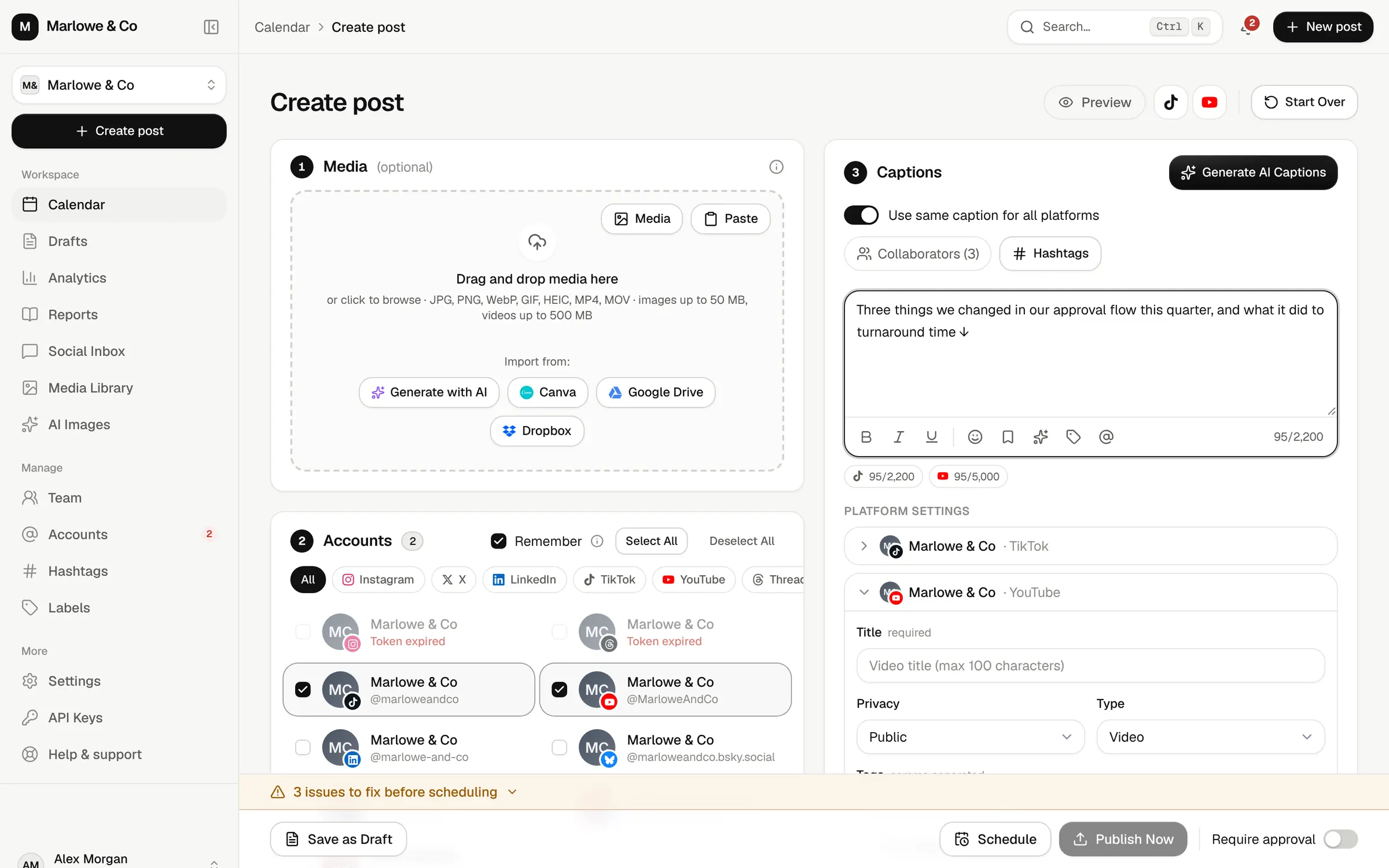
A writing partner inside the composer
- Reads your images
- One caption per platform
- Six tones
- Seven one-click refinements
- Many captions at once
- AI Images
01 · Vision captions
Captions that start from what's in the photo
- A separate caption per platform
- Character limits enforced (X 280, Threads 500, Bluesky 300)
- Video: frames are read, audio isn't transcribed
They're back. Oat, sage and clay, the three colours you kept asking for, restocked in every size this morning.
#linenbedding #slowliving #bedroomdecor
Our three best-selling colours sold out in 11 days. Here's what we changed in production so it doesn't happen again.
#smallbusiness #supplychain
oat, sage and clay are back in stock. that's the post.
Accounts
Three things we changed in our approval flow this quarter (and what it did to turnaround time) ↓
02 · Refine
Seven ways to improve a sentence
- Works on a selection or the whole caption
- The result replaces your text, ready to edit
- Undo in one click if you preferred the original
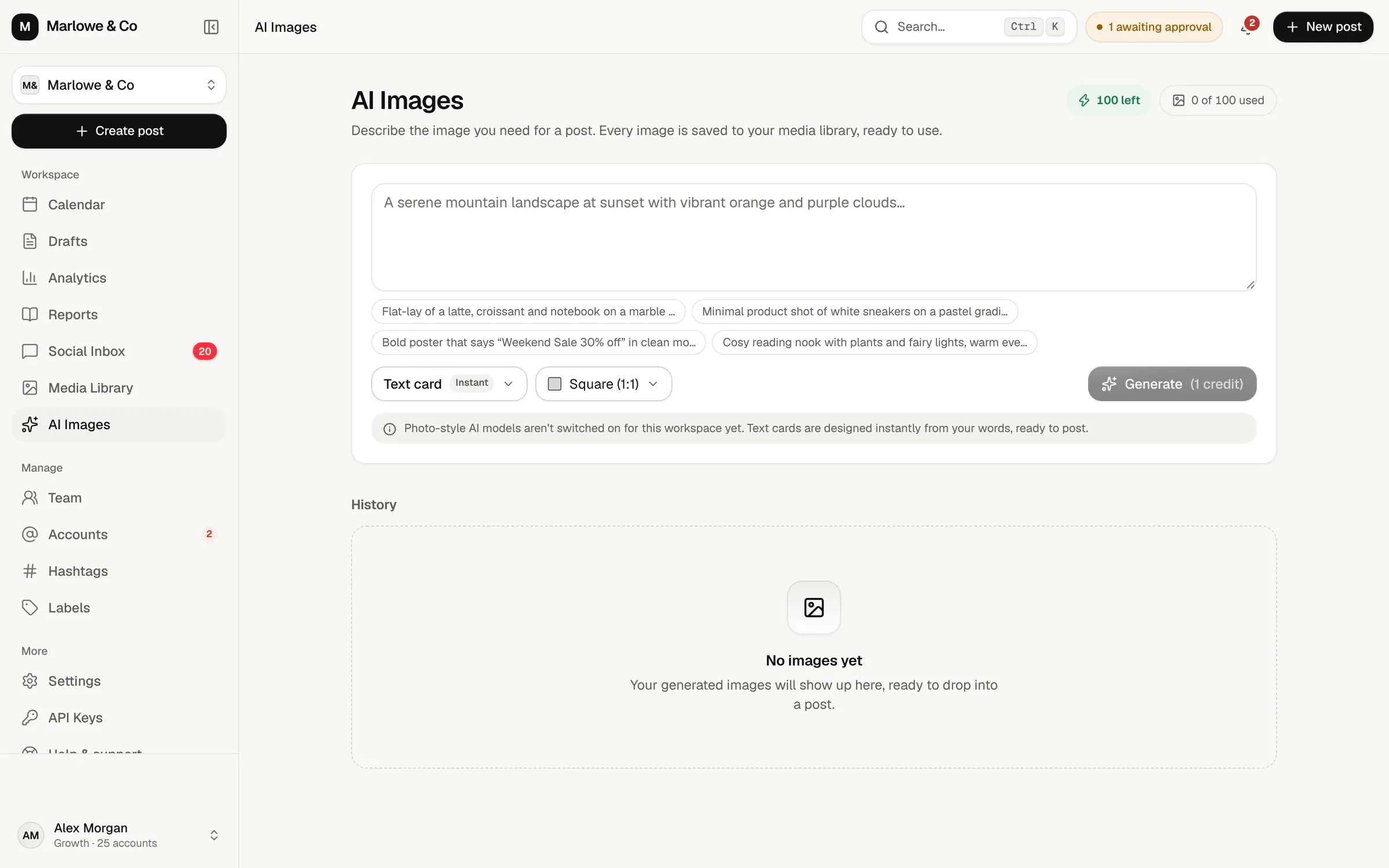
03 · AI images
An image when you don't have one
- Five aspect ratios for feeds, stories and video
- 100 images a month with the add-on
- Saved to your history and the media library
From photo to post in 3 steps
Attach your media
Add the images or video for the post and choose the accounts it's going to.
Pick a tone
Friendly, funny, bold, professional, motivational or your default voice. Generate.
Refine and schedule
Each platform gets its own caption. Polish any sentence in one click, then schedule as usual.
Platform support
Works across all 10 platforms
- X
- TikTok
- YouTube
- Threads
- Bluesky
- Google Business
AI Assistant: common questions
How do I get the AI assistant?
Does it really look at my images?
How many AI images do I get?
Can it write in my brand's voice?
What kind of images does AI Images make?
Is anything posted automatically?
AI Assistant in depth
What AI Assistant does
Attach a photo or video and get a caption for each platform you picked, in the tone you choose. Then tighten, expand or polish any line in one click, and generate images when you don't have one.
- Reads your images: Captions are written from what's actually in the photo, plus your brand description and audience.
- One caption per platform: Storytelling for Instagram, professional for LinkedIn, X kept under 280 characters.
- Six tones: Default, Friendly, Funny, Bold, Professional and Motivational.
- Seven one-click refinements: Fix grammar, make it concise, expand, rephrase, improve structure, simplify or polish.
- Many captions at once: Caption a whole bulk-scheduling batch, or every selected draft, in one go.
- AI Images: Make an image from a prompt in 1:1, 4:5, 9:16, 16:9 or 3:2 and use it straight in a post.
Vision captions: how it works
The assistant looks at the images you attached (and a few frames of a video) together with your brand description and target audience, then writes a caption for each platform you selected, inside each platform's limit.
Refine: how it works
Select a line, or the whole caption, and choose what it needs: fix grammar, make it concise, expand, rephrase, improve structure, simplify the language or polish. The result replaces the selection, ready to edit.
AI images: how it works
Write a prompt, pick the aspect ratio for where it's going, and generate. Where AI image models are switched on you get photo-style images; otherwise HeyOrbit designs a clean text card from your words. Everything is saved to the media library, and "Use in post" opens the composer with the image attached.
Why captions should start from the media
Generic caption generators work from a one-line prompt, so they write generic captions. The photo already holds most of the story: the product, the setting, the mood. Starting there gives you a first draft that is actually about the post.
Adding your brand description and target audience keeps the voice consistent, whoever on the team is writing that day.
One idea, ten platforms, ten sets of rules
The same announcement reads differently on LinkedIn, TikTok and X, and each platform counts characters its own way. Rewriting one caption five times is exactly the kind of work an assistant should take off your plate.
HeyOrbit writes a separate caption per platform and checks it against that platform's limit before you schedule.
You stay the editor
Nothing the assistant writes is published without you seeing it. Captions land in the composer, where you edit, refine or throw them away, and approvals still apply.
If the AI service is unavailable, the composer keeps working and tells you so.
Works hand in hand with
All featuresWrite less, post better.
Captions from your own photos, six tones and one-click refinements, with the optional AI Studio add-on.
Prefer to talk first? Book a call with our team
- Unlimited team members
- 10 platforms
- Start free, pay per account