For restaurants and cafés
Today's special, posted before the lunch rush
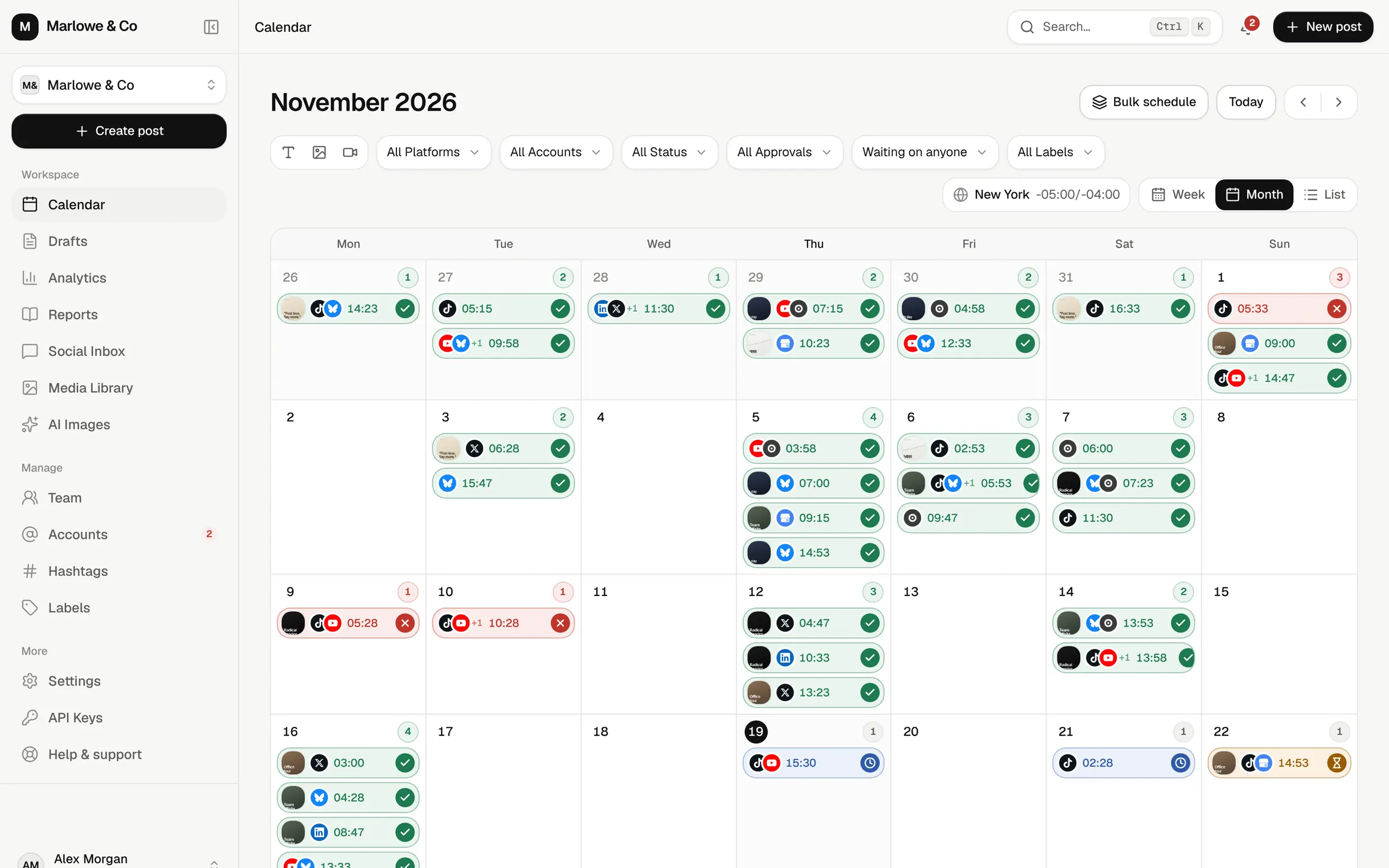
Photograph the week's dishes on Monday, schedule the specials, Reels and Google Business offers in one sitting, and answer reviews and booking questions from one inbox between services.
- Google Business
- TikTok
- ₹1,497 / $18 a month for this setup
What a restaurant's social actually runs on
Get the special out before people choose lunch
Schedule each day's dish for late morning across Instagram and Facebook, so it's live before the lunch decision, and nobody stops service to post it.
Content CalendarKeep the Google profile fresh
What's new posts with an Order online or Book button, offers with a redeem link and events like quiz night or live music, on the profile diners find on Maps.
Content CalendarAnswer reviews between services
Google reviews arrive with their star rating, next to your Facebook recommendations. Thank the five-star ones with a saved reply and give the two-star ones a proper answer.
Social InboxTurn kitchen clips into Reels and TikToks
One vertical video from the pass goes to Instagram Reels, Facebook Reels and TikTok together. Add music before you upload: the platforms' APIs don't offer trending audio.
Content CalendarAnswer the same DMs once
Keyword auto-replies send your menu link, parking details or opening hours when an Instagram or Facebook message asks, and an away message covers closing time.
Social InboxLet the chef check before it posts
Front of house drafts the post; the head chef approves the dish photo and description from an email, so what's online matches tonight's menu.
Approval Workflows
How it works for restaurants and cafés
Each step is a part of HeyOrbit you can open and read about.
Connect Instagram, Facebook and Google
Each profile, Page and location is one account. Google Business connects with the Google login that manages the location.
Content Calendar Guide: Connect social accountsBatch the week's dishes
Upload Monday's photos and videos with bulk scheduling; each becomes a post with its own day and time.
Bulk Scheduling Guide: Bulk schedulingSet the inbox to service hours
Your opening hours drive the away message; saved replies cover the questions you get every day.
Social Inbox Guide: Inbox automations and alertsRepeat the regulars
The weekly set menu or Thursday quiz night can repeat every week by itself.
Content Calendar Guide: Recurring posts
The platforms that matter for restaurants and cafés
The formats ticked are the ones you'll use most. Every format listed publishes automatically.
Instagram
- Feed post
- Carousel (used most)
- Reel (used most)
- Story (used most)
Dish shots, carousels of the new menu and Reels from the kitchen. A first comment keeps the hashtags out of the caption.
Instagram schedulingGoogle Business Profile
- What's new (used most)
- Offer (used most)
- Event (used most)
The profile diners see on Maps. Offers and events carry a title and end date, and analytics show calls, website clicks and direction requests.
Google Business schedulingFacebook
- Post (used most)
- Reel (used most)
- Story
Events, holiday hours and a local community that leaves recommendations. Messenger questions arrive in the inbox.
Facebook schedulingTikTok
- Video (used most)
- Photo post
Behind-the-pass videos with comments on or off, scheduled alongside everything else.
TikTok scheduling
A week in HeyOrbit
An example week, from the first draft to the last reply.
Monday10:00
Shoot and batch
Ten dish photos from the morning become ten days of specials, one a day at 11:30, each with its own caption.
Tuesday09:00
An offer for the quiet night
A Google Business offer for Wednesday's pasta night goes up with its end date and redeem link.
Wednesday15:00
Chef's approval
The head chef approves Friday's tasting-menu Reel from the email between lunch and dinner.
Thursday18:45
Busy service, calm inbox
DMs asking about parking get the keyword reply; the rest wait for the manager, already assigned.
Friday12:00
Live music, announced
Saturday's gig posts as a Google Business event and a Facebook post; the Reel goes to Instagram and TikTok.
Sunday10:00
Weekend reviews
Filter Negative first (one- and two-star reviews are tagged that way), then thank everyone else.
What this setup costs
One café on Instagram, Facebook and Google Business
- Instagram profile1 × ₹499 / $6
- Facebook Page1 × ₹499 / $6
- Google Business location1 × ₹499 / $6
Instagram profile + Facebook Page + Google Business location = 3 accounts = ₹1,497 / $18 a month
Add TikTok or a second location later; each one adds a single account.
3 accounts × ₹499 / $6
₹1,497 / $18
a month, everything included
With the optional AI Studio add-on (₹799 / $9 a month): ₹2,296 / $27 a month.
- Unlimited team members & reviewers
- Full white label
- Advanced analytics
- Branded reports
- Multi-step approvals
- Social inbox
Free to sign up, no card. Billed monthly per connected account; taxes are added where they apply.
Restaurants & cafés: common questions
Can I post to my Google Business Profile from HeyOrbit?
Can HeyOrbit change my opening hours or menu on Google?
Can we reply to Google reviews?
Can staff draft posts without publishing them?
Can I schedule Instagram Stories?
What does HeyOrbit cost for a restaurant?
The features behind this page
Platforms
Comparing tools
Also worth a look
- Hotels & hospitalitySeasons planned months ahead, overnight booking questions answered, every guest review thanked.
- Small businessesA week of posts in one sitting, one inbox for messages and reviews, two or three accounts.
- Multi-location brandsEvery location's Google and Facebook at once, local managers kept to their own accounts.
- Book a callTalk your setup through with the HeyOrbit team.
All solutions by team and by industry.
Specials out, reviews answered.
Batch the week's dishes, keep Google fresh and answer every review from one inbox. Start free, pay per connected account.
Prefer to talk first? Book a call with our team
- Unlimited team members
- 10 platforms
- Start free, pay per account